Local AI development workbench
Build, debug, and ship AI agents locally.
SideSeat runs next to your code and captures prompts, tool calls, and model responses in a single run timeline.
$ npx sideseat Launches the workbench at localhost:5388.
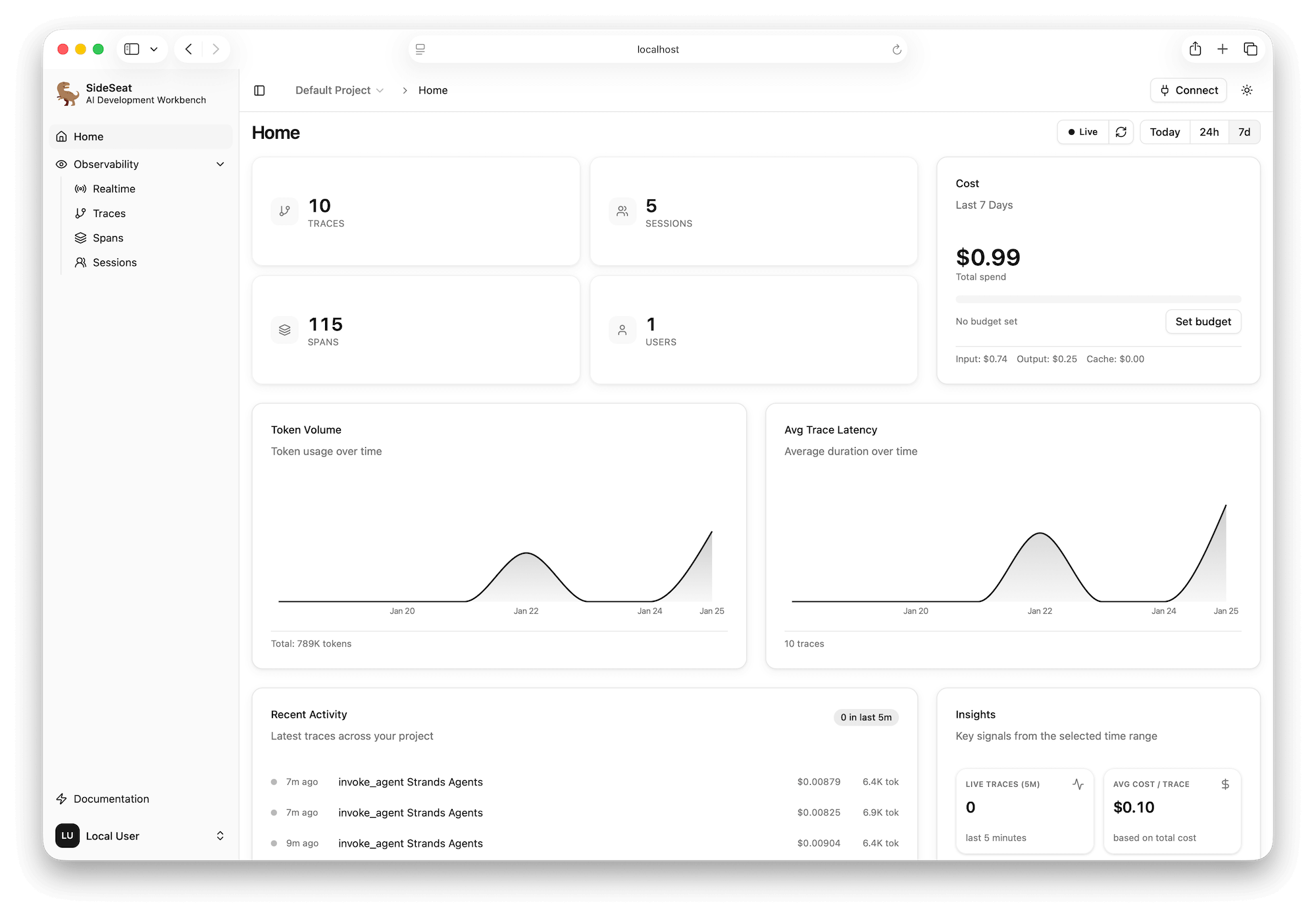
Compatible by default
Works with the stack you already ship
Bring your stack. Ingest OpenTelemetry traces from popular frameworks and providers.
Strands, LangGraph, LangChain, and more for production orchestration.
Amazon Bedrock, Anthropic, OpenAI, and more. Every run stays traceable.
From fragments to full runs
Reconstruct every agent run end-to-end.
Logs are fragments. SideSeat stitches prompts, tool calls, model responses, and costs into a single run so you can diagnose failures fast.
- Threaded prompts, tool calls, and model responses in order.
- Token, latency, and cost breakdowns per step and run.
- Sessions grouped with errors and bottlenecks highlighted.
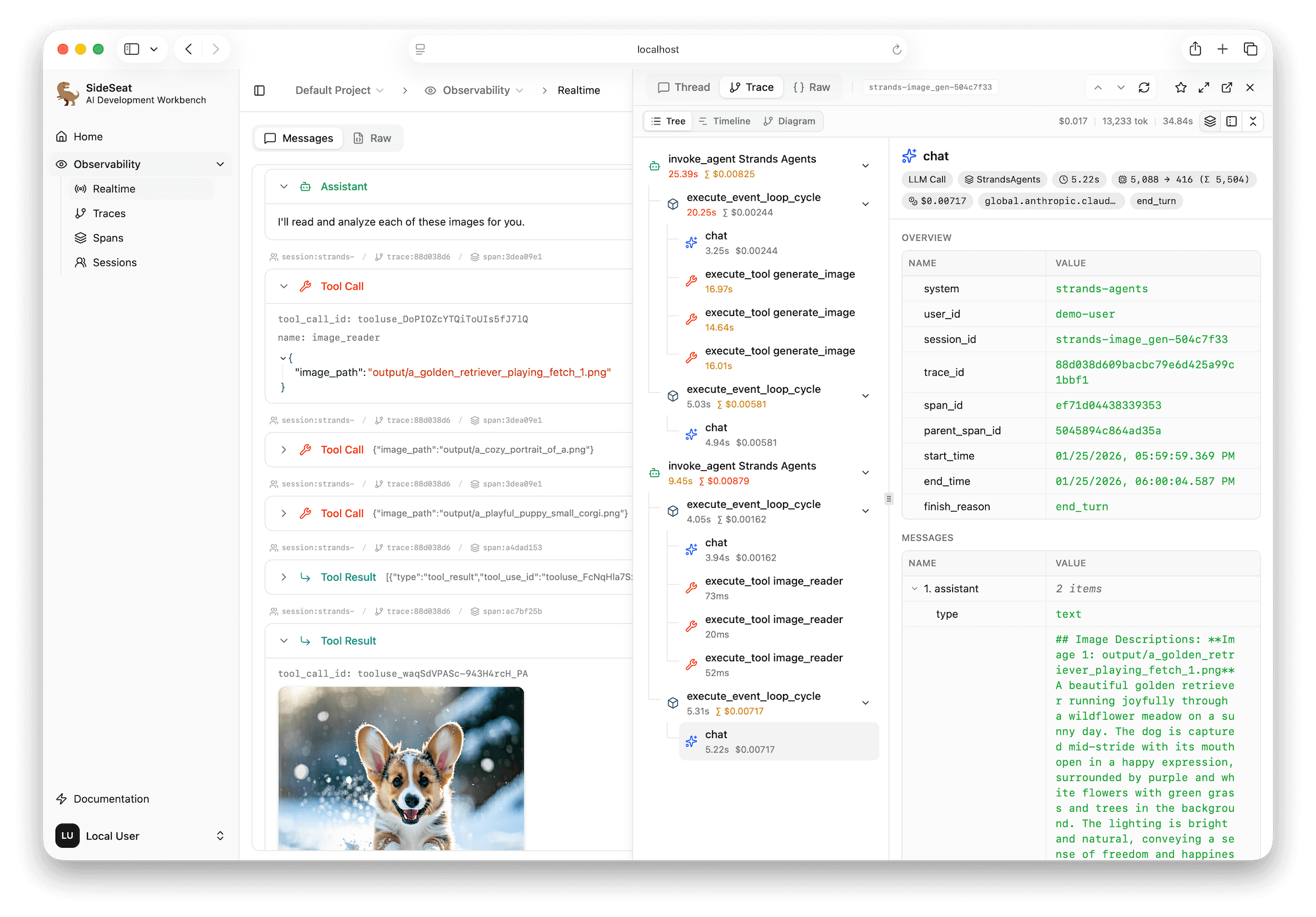
Inspect every prompt, tool call, and response in a single timeline.
Impact
Turn guesswork into evidence. Every run is searchable and reproducible on your machine.
Workbench loop
Instrument once. Iterate faster.
SideSeat is your local workbench for agent development. Run a session, inspect each step, refine prompts or tools, and rerun with full context.
Instrument
Add the exporter once. Keep your stack intact.
Run
Run locally and watch each step stream in real time.
Inspect
Inspect prompts, tool calls, and model metadata side by side.
Tune
Compare runs, spot regressions, and tighten the loop.
Plan and route
Tool: retrieve context
Draft response
Total latency
1.03s
Tokens
2,134
Tool calls
3
Cost
$0.018
Capabilities
Everything you need to ship reliable agents
A local workbench for the entire agent loop, designed for modern stacks.
Live Run Timeline
Watch model and tool steps stream in real time. Skip batch logs.
Threaded Run View
See prompts, tool calls, and model responses in one ordered thread.
Tool Call Drilldown
Inspect inputs, outputs, retries, and errors with full context.
Latency & Cost Profiling
Track tokens, latency, and spend per step with model attribution.
Searchable Sessions
Filter runs by session, model, latency, and errors to find answers fast.
Local Workbench
One command. No signup. Runs next to your code on your machine.
Instrument once
Add two lines. Capture every agent run.
Drop in the OpenTelemetry exporter and SideSeat renders traces instantly in the workbench.
from strands import Agent
from sideseat import SideSeat, Frameworks

SideSeat(framework=Frameworks.Strands)   # add this

agent = Agent()  # uses Amazon Bedrock by default
agent("Analyze this dataset...")Open localhost:5388 to inspect the run in the workbench.
AI agent development
Let your coding agent read your agent's traces.
SideSeat includes a built-in MCP server. Connect Kiro, Claude Code, or Codex and let them optimize prompts, debug failures, and cut costs using real observability data.
# Kiro CLI
kiro-cli mcp add --name sideseat --url http://localhost:5388/api/v1/projects/default/mcp

# Claude Code
claude mcp add --transport http sideseat http://localhost:5388/api/v1/projects/default/mcp

# OpenAI Codex
codex mcp add --transport http sideseat http://localhost:5388/api/v1/projects/default/mcplist_traces list_sessions list_spans
get_trace get_messages get_raw_span
get_stats
Local-first by design
Your runs stay on your machine.
SideSeat stores traces locally, so you can debug and iterate without shipping prompts or data to a hosted service.
Prompts, tool output, and traces stay in a local database on your machine.
Storage
Local DB
Sync
None
Access
Localhost
Add the exporter once to your agent stack.
Review prompts, tool calls, and costs in the workbench timeline.
Ready to ship reliable agents?
Run SideSeat locally. Debug every run end-to-end.
SideSeat is the local AI development workbench that connects prompts, tool calls, and model responses in one timeline.
$ npx sideseat